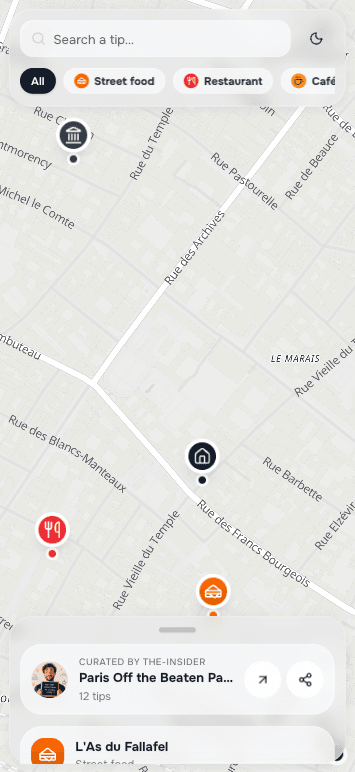
Your favourite places, on a map that opens with a tap.

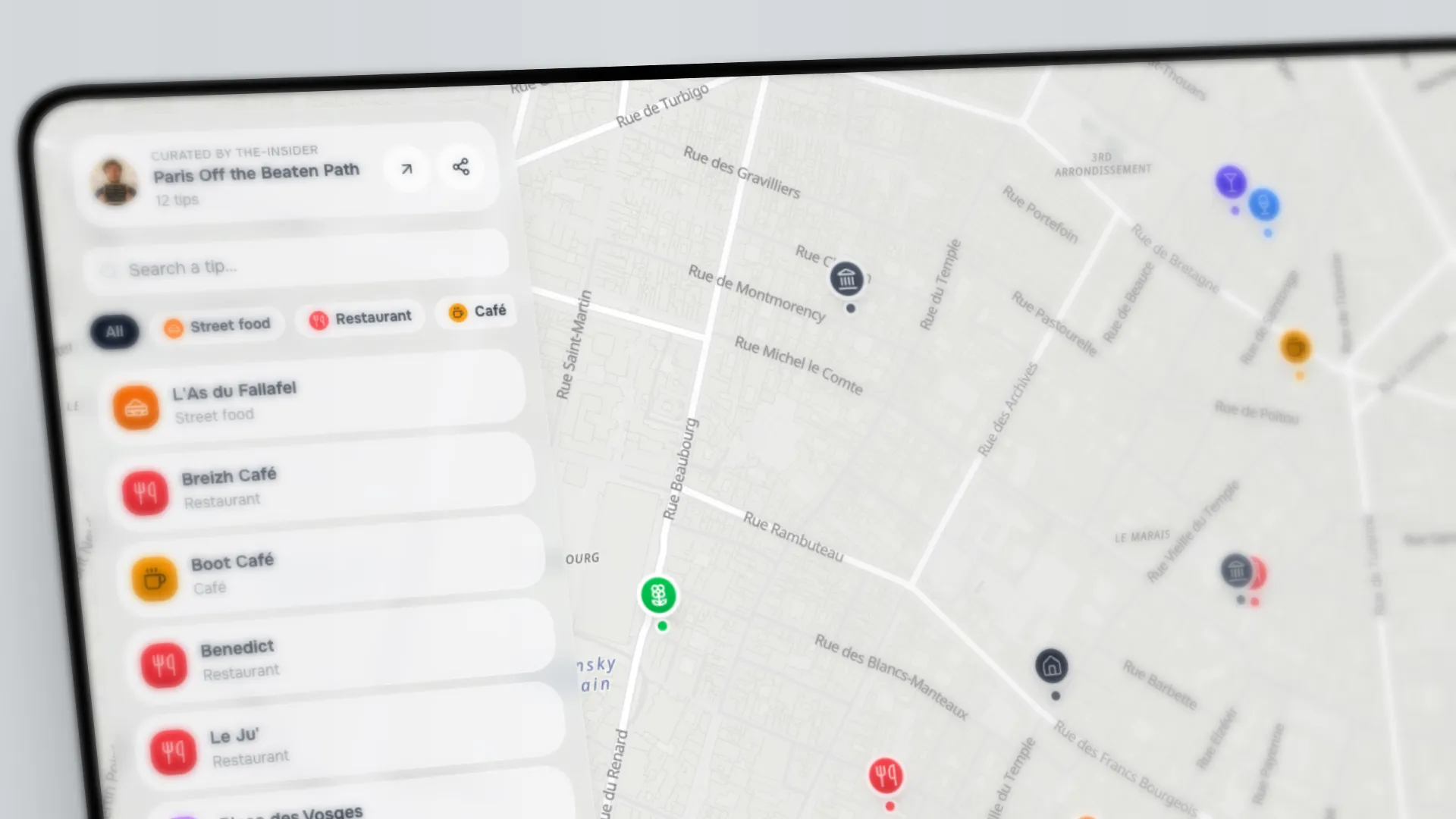
PinTips turns the places you love — your own spots, the ones you recommend, the stops of a trip — into an interactive map that opens from a link. Keep it for yourself or share it: no app, no account for whoever opens it. Update it whenever you want.
See how it works
Free to start
No credit card required
Ready in minutes
PinTips map with its creator's tips

The problem isn't having good tips. It's that they get lost.

The PDF in the room that nobody opens.
The same questions — «where do we eat tonight?» — every week.
The list of links on WhatsApp that scrolls away within an hour.
The places mentioned out loud and forgotten on the first day.

You're not short on local knowledge. You're short on a way to pass it on that actually gets used.

For anyone who loves the right places.

Travellers and the curious

The places you love in a city, or the map of your next trip: save them, organise them, find them again. Just for you, or to share with whoever you want.

Sharing with friends

Send friends the map of your favourite spots: where to eat, what to see, your hidden gems — all in one link.

Hosts and property managers

The digital welcome book guests actually open: from a single property to a whole portfolio, with one consistent brand.

Travel agencies

Itineraries, stops and recommended places for your clients, on a single shareable map.

Whether you want to find your own places again or share them with others, PinTips is for you.

How it works

From your tip to a QR in three steps.

01

Create your account

Free, in under a minute. No credit card required.

02

Build the map

Add places by searching an address, picking them on the map, or with Suggestions that find them by category nearby. A note, a category, done.

03

Share

Print the QR or send the link. It opens on the phone, with nothing to install.

Why PinTips

Not a list of places. Your voice.

Google Maps gives you locations. PinTips gives the right places, told by someone who knows them.

Suggestions by category

Pick a category — restaurants, nature, services — and PinTips finds places of that type nearby to add in bulk. From an empty map to a full one in seconds; then refine with your note.

Rich pins, with your note

Every place can have your photos, opening hours with an «Open now» indicator, and above all your note: «ask for the table on the veranda».

Sharing that looks good

A QR ready to print and a social preview: when you paste the link on WhatsApp, the map image already shows up.

Zero friction for whoever opens it

No app, no account, no login. On any phone: one tap to navigate, call or open the place's website.

In the language of whoever's looking

Interface and content in Italian and English (more coming); the map presents itself in the language of whoever opens it.

See what works

See how often the map is opened and which tips get tapped the most. Understand what they truly appreciate.

Inside PinTips

This is a PinTips tip.

Not an anonymous listing. A photo of yours, the opening hours, and the reason that place is worth it — written by you.

Your photo
Trattoria da LinaRestaurant
Open now
Your note

«Ask for the veranda table and try the tortelli.»

Navigate in one tap
Your photo
Belvedere TrailNature
Open now
Your note

«Go at sunset: twenty minutes on foot from the centre.»

Navigate in one tap
Your photo
Caffè del CorsoCafé
Open now
Your note

«They open at 7 — the best cappuccino around.»

Navigate in one tap
Your photo
Civic MuseumMuseum
Open now
Your note

«Free on the first Sunday of the month — avoid 11am-1pm.»

Navigate in one tap
Try it

Don't take our word. Open it.

These are real maps, made with PinTips. Open them on your phone the way the person you share it with would — with nothing to install, no account.
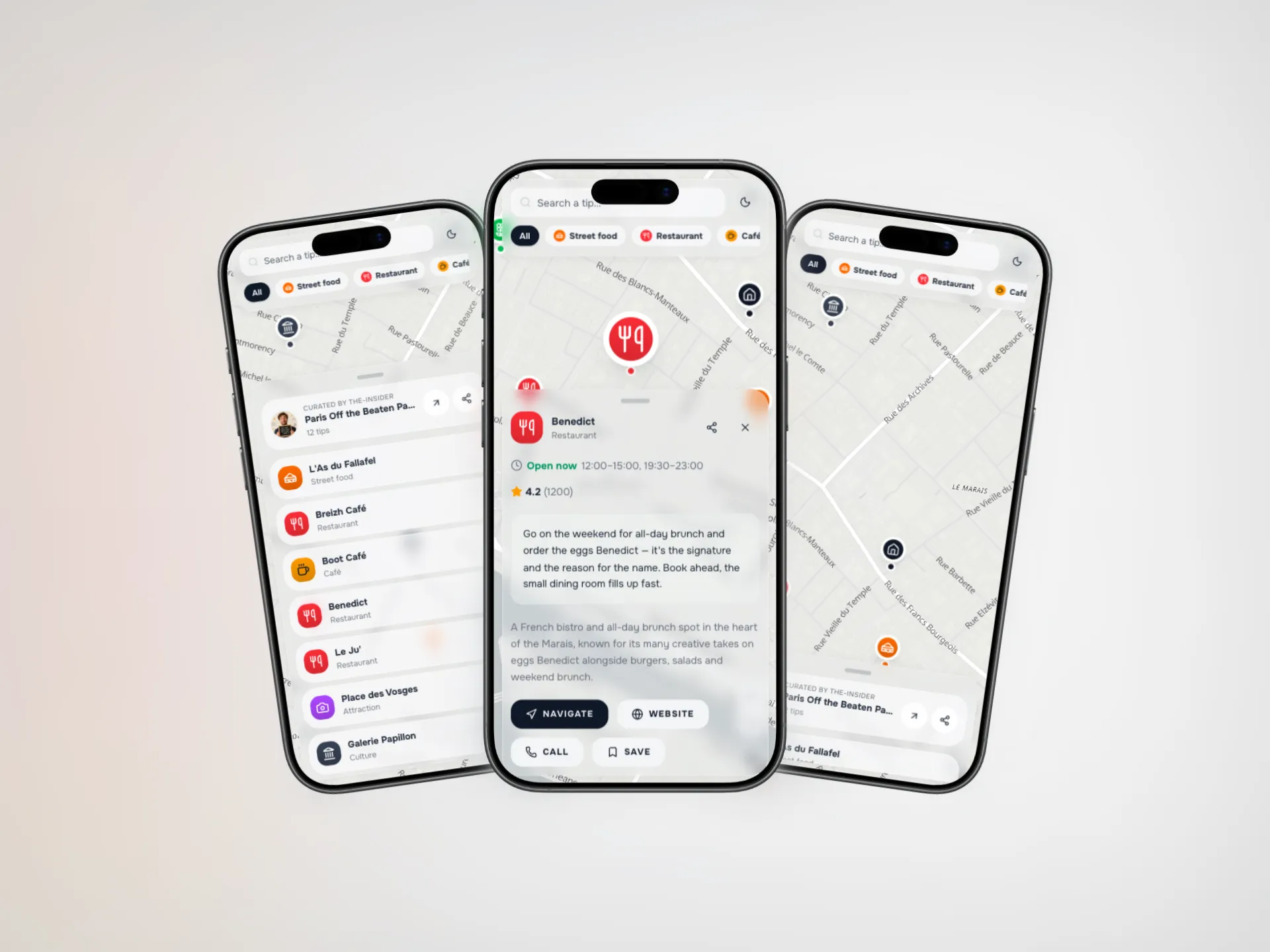
PinTips map with its creator's tips
FAQ

Frequently asked questions

Does opening the map require an app?

No. The map is a web app that opens in any mobile browser by scanning the QR Code or opening the link. No installation, no friction.

Is an account needed to see the map?

No. Whoever receives it opens the public map without signing up and without logging in. The account is only for you, to create and manage your maps.

Can I edit a map after sharing it?

Yes. Every change is immediately visible to anyone with the link or QR Code: you don't need to generate a new code or resend anything.

How many languages does it work in?

Interface and content are available in Italian and English, with more languages coming. The map presents itself in the language of whoever opens it.

Are visitors tracked?

No profiling. We only collect anonymous, aggregated statistics (how often the map is opened, which tips are tapped) to help you understand what works. No personal data about whoever opens it.

What happens to my pins if I go back to the free plan?

Nothing is deleted. Pins that exceed the free plan limits are simply hidden and reappear automatically as soon as you reactivate a higher plan.

Can I print the QR and put it in the house?

Yes. You download a high-resolution, branded QR Code, ready to print and hang in the apartment, the welcome book or the window.

How does the subscription work?

You start free. Higher plans unlock more maps, more pins, automatic Suggestions and advanced statistics. You can change or cancel your subscription whenever you want.

How much time does it take to keep it updated?

You create it once; updating it takes minutes, whenever you want. Changes are immediately visible to anyone with the link or QR — you don't have to regenerate or resend anything.

Will people actually use it?

The barrier that makes people abandon other tools — downloading an app, creating an account — isn't here: it opens with a tap. And you don't have to guess whether it works: the statistics tell you how often the map is opened and which tips get tapped.

Why isn't a shared Google Maps list enough?

A Google list is a set of anonymous markers. PinTips has your photos, your note, opening hours with «Open now», a QR to print, and it opens under your name — without whoever receives it needing a Google account or an app.

Can I use PinTips just for myself, without sharing anything?

Absolutely. Many people use PinTips as a personal collection of the places they love or to plan a trip: you save the spots, add your notes, and find them again whenever you want. Sharing is an option, not a requirement.

Pricing

Start free, grow when you need to.

The free plan is a starting point, not a trial: you move up only when you need more room.

Share
Free

Everything you need to start your PinTips experience and share your tips and recommendations with whoever you want.

Start free
Unlimited maps
Unlimited pins per map
Basic metrics
Itineraries & routes
Connect+
$9.99/month

Everything to look professional: no watermark, full branding, complete analytics and creator tools.

Choose
Unlimited maps
Unlimited pins per map
Automatic place suggestions
Complete metrics + history
Unlimited photos per pin
Itineraries & routes
Business
Coming soon

We're crafting an amazing Business plan for agencies, property managers and teams managing maps at scale.

Notify me

No content is ever deleted: if you go back to free, the extra pins are hidden and reappear as soon as you reactivate the plan.

Your turn

You already know the right places. Put them on a map — for yourself, or for whoever you want.

Free to start · No credit card required